Are you having trouble trying to buy an item in Vinted? Maybe you are unable to see the buy button in Vinted under the item.
In that case, you have come to the correct place as we will be discussing why this is happening with certain items in Vinted platform. Many users have reported seeing this issue when they are trying to buy the things that they want.
Vinted is an online marketplace where you can sell your old stuff such as apparel and accessories.
Due to its ease of use, Vionted has become one of the top marketplaces to sell second-hand stuff all over the world.
However, Vinted can also have issues and errors that might frustrate you when you just want to purchase that lovely pair of shoes that you have been eyeing for some time now.
In this article, we will be talking about the reasons why you aren’t able to see the buy button in Vinted and what you can do to fix it easily.
Why There Is No Buy Button On Vinted?
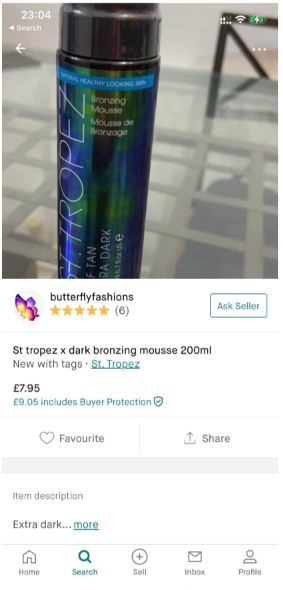
There may be a few reasons why Vinted does not have a buy button while you are opening an item from its platform.
These issues can range from an incorrect setting made by the Seller to the item being sold in another country.
Below you have listed a few major reasons why you might not be able to see the buy button under an item.
- The seller might have been inactive for a long time.
- You have been blocked by the seller previously.
- The item might not ship to your location.
- The seller made a mistake while classifying the item.
- The item might not be available for your location.
How To Fix No Buy Button On Vinted?

1. Check Whether the Item Ships to Your Location
The items need to ship to your location before you can buy them. If the item that you want to buy is not shipped to your location by the seller then that might be the reason why you are unable to see the buy button on Vinted.
2. Wait For Sometime
Another fix that you can try is to wait for some time and then try to open Vinted again.
Some users have reported that waiting for some time and then opening Vinted have resulted in being able to fix the issue where they were unable to see the buy button before.
3. Check With The Seller
Contact the seller and ask them why the buy button is not there on their items. It might be that the seller has not filled out the Settings properly due to which their items do not have a buy option.
The seller needs to go to their Settings and fill out their address properly and then you will be able to see the buy button.
4. Check Whether The Item Is Available For Your Location
If the item is not available in your location then also you will not see the buy button. For example, the item might be from another country which is sold by a seller from that country and that is why you aren’t able to buy it.
You can contact the seller and ask them whether they can ship it to your location and make a deal after having a discussion.
5. Change How The Item Is Classed
Sometimes if the items are classed wrongly then that might be another reason why the items are not showing the Buy button.
Many shipping companies have items that they do not ship. In case the seller has listed an item with that shipping but they have put the item in a class that the company does not ship then the seller will have to change the item class for you to be able to see the buy button.
You can contact the seller and inform them about this issue and ask them to change the classification and then you will be able to buy it.
6. Contact The Vinted Support Team
After you have tried all the fixes above you will have to contact the Support Team of Vinted if you are still unable to see the buy button.
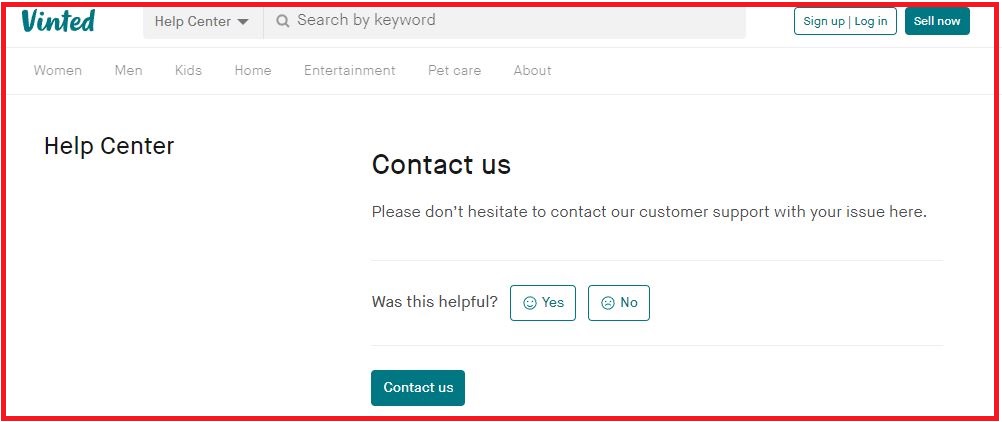
Before you do that make sure that there are no problems in the item listing from the seller. You can tell the seller to contact the support team too.
The team of professionals from Vinted will be able to solve the issue that they might be having.
